Dude! Take Your Turn!
A Gaming Life
The Beauty of Northwest Tiles – Cascadia App Review
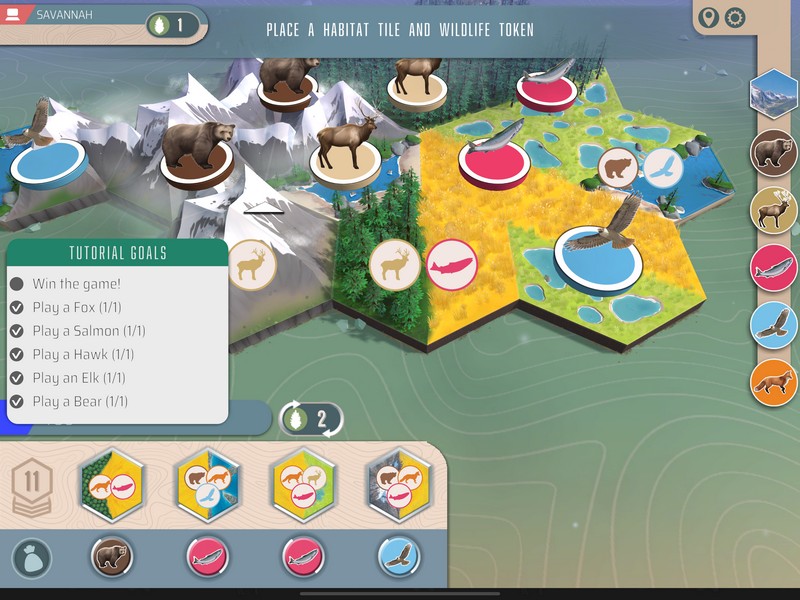
(this is going to be a review of both the game and the app, since I’ve played the tabletop game a bunch too)
There’s something peaceful about a good tile-laying game where everybody is creating their own habitat for God’s natural wonders, both flora and fauna.
It’s especially peaceful when it can also be done in a lunch time at the office!
Or, in digital form, in about 15 minutes.
Cascadia recently came out in app form for iOS/Android/Steam.

Published by Dire Wolf Digital (with the boardgame itself published by Flatout Games and Alderac Entertainment Group), the game was designed by Randy Flynn with excellent artwork by Beth Sobel (said artwork looking gorgeous on the iPad as well).
The game plays 1-4 players, as does the app!
The app just came out a couple of months ago while the game itself was published in 2022.
What can be bad about laying out a bunch of tiles until you have a large, beautiful panorama with a bunch of animals on it?
Cascadia is really simple in gameplay, in that all you are doing is selecting a tile/animal pair, putting the tile in your habitat, and then placing the animal on a tile that will support it.
How a grasslands tile can support a salmon, I don’t know?

That’s kind of what I do.
Tiles, of course, need to go next to at least one other tile. You can’t place one out in the middle of nowhere and hopefully connect to it later.
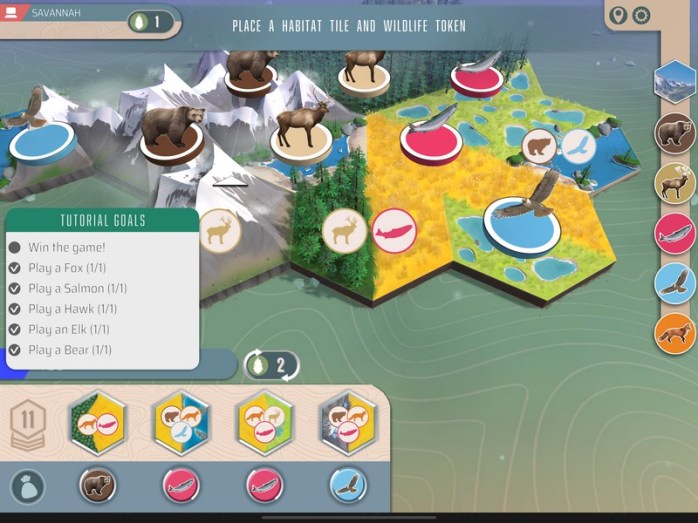
Even when that would be a lot more convenient.
Instead, you are trying to connect terrain together into as big of a combination of tiles as is possible.
The grasslands above are three tiles, but you can certainly add more.
Meanwhile, that forest is just one…for now.
But that’s not all of the scoring, and maybe not even the majority.
Each game has five animal types and each one will have a unique scoring method based on how you place them out in your tableau.
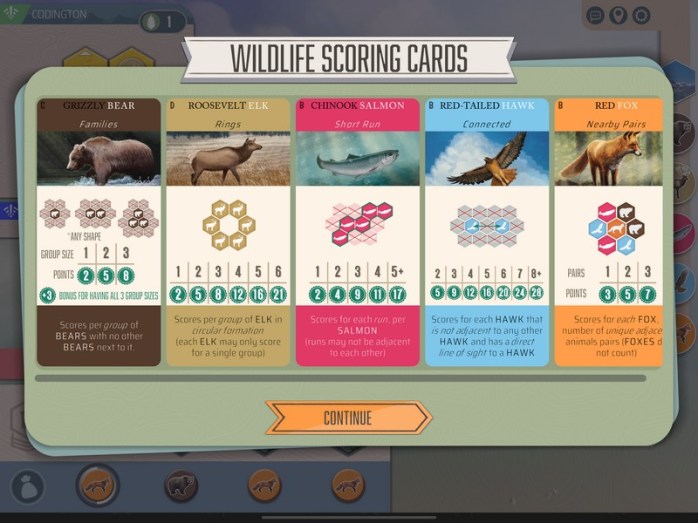
Bears in this one score based on having up to three of them on adjacent tiles. If you have a group of four…they don’t score!
So you’d better not do that.
The meat of the game is that tile selection, though.
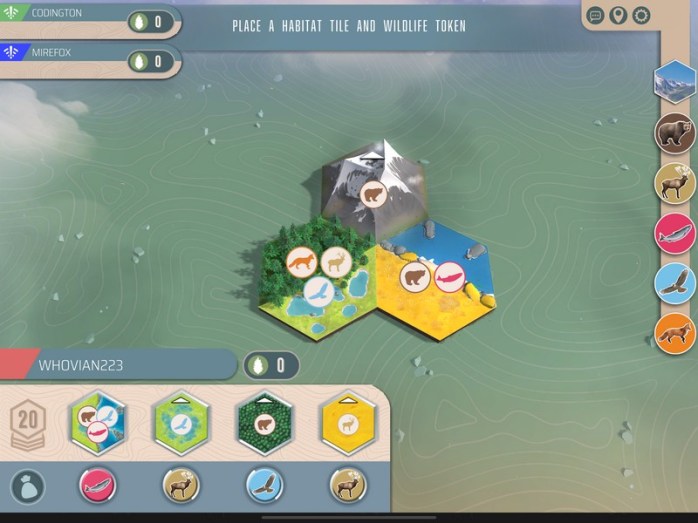
Each turn, you’ll take a combination of tile and animal and place them. They don’t have to be the same; you can place the animal anywhere that will support it.
But really…salmon in grasslands?
So you can select the Swamp tile with the Elk, or the Forest tiles with the Hawk.
You do have to make sure one of your existing tiles (or the one you are drafting) will support the animal, though, or you’ll have to discard it.
And it will be sad.

(Note: There are no pandas in this game)
That’s basically it. In all, you’ll be drafting 20 tiles, building a big tableau and hopefully a nice chain of animals (or for the hawks, who don’t like each other, a bunch of hawks who are far away from each other).
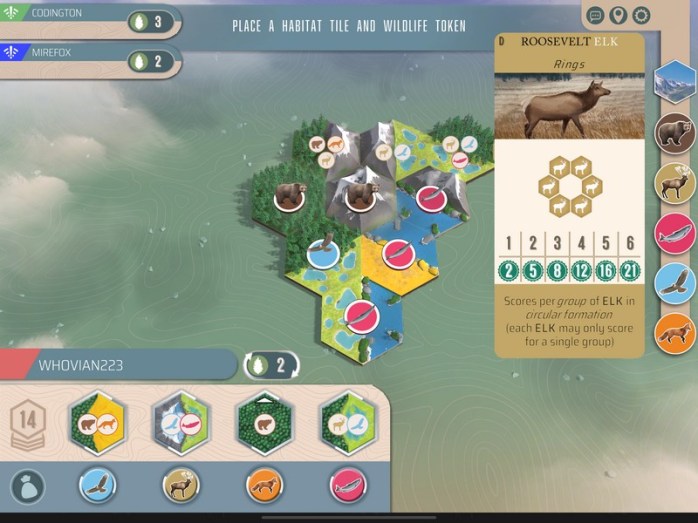
There are some nuances, such as the fact that placing an animal on a single terrain/animal tile will get you a pine cone.
Pine cones are good because they let you either wipe all of the animals from the selections (don’t worry, they just go back to the bag. This isn’t a violent game) or maybe even take a tile and an animal that’s under a different tile.
Sometimes that’s necessary!
Scoring is for each habitat and how many tiles of that type are in your biggest habitat (i.e. set of tiles with that terrain connected). Also, whoever has the most and second most will get a few bonus points.
Then you do the animal scoring, as per the cards that are out.
On the table, this game takes under an hour so is great for a lunch time game at the office.
The only thing that’s really onerous is the setup, if you have to take a bunch of tiles out (even more so if you have the expansion).
That’s where the app shines.
So how is the app?
It has the typical Dire Wolf polish that makes all of their apps really great.
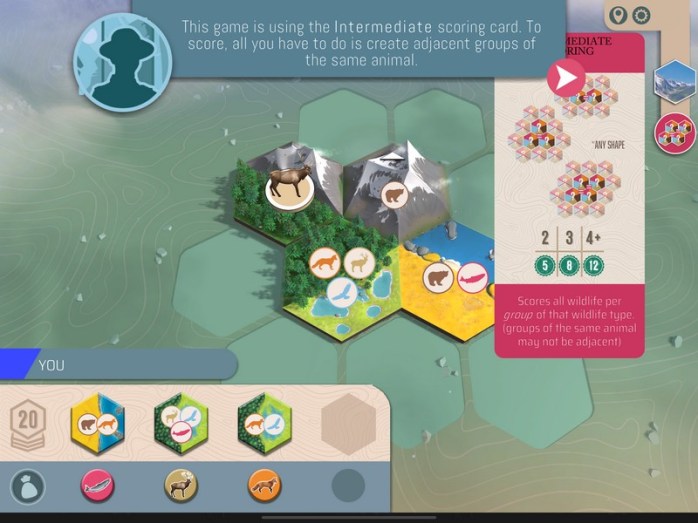
The tutorial actually helps you learn the game (which can’t be said for every app!) and avoids the obnoxious “humour” that some apps have in their tutorials.
The app also has great solo play, both against computer opponents as well as daily trek games as well.
I don’t really do that, but the heart of the game for me is the online multiplayer.
As is usual, they offer both asynchronous and synchronous play, and the asynchronous works really well.
They seem to have avoided most of the asynchronous pitfalls that Dire Wolf has been prone to before, with one slight exception.
One issue in the past has been the ability for players who didn’t actually end the game to see the results of the game.
While Dire Wolf appears to have fixed that in their games, including Cascadia, if you have multiple async games going and you have a turn waiting for you in another game along with a completed game, the completed game goes away without you being able to look at it.
This does seem odd because in their Clank game, I’ve had a game where I have a turn and also a game that’s done, and I have been able to see the results for that game.
It’s only had the opportunity to happen once in Cascadia, so maybe it’s been fixed or I did something wrong.
I can’t recreate it to see if it’s still there.
But it was annoying.

Otherwise, the asynchronous multiplayer (and I assume the synchronous as well) works brilliantly.
One aspect of that which I don’t think is in Cascadia (yet) but was added to their other games like Clank and Dune – Imperium, is the ability to fast forward past other players’ turns.
That may be added soon or maybe was added after I did my last play, but it is a valuable addition.
Because sometimes watching other players’ turns can just get tedious.
It’s not as bad in Cascadia because all they are doing is placing a tile, but still it is a nice feature to have.
If you do watch the replays, it is kind of neat to see each player’s tableau and where they’re fitting in the current tile.

The other aspect of asynchronous play that could turn off some players is that this is a really basic game where you are doing one thing on your turn and that’s it.
Yes, there is some thought involved on where you are placing everything, but there is no interaction with other players other than whether or not they took the tile or animal you wanted.
I suppose you could keep an eye on the other players to see how big their individual terrain habitats are, but that’s really not worth your time.
Overall, the asynchronous online experience is very good.

I love that the scoring screen actually shows you each player’s tableau.
The implementation itself is also great.
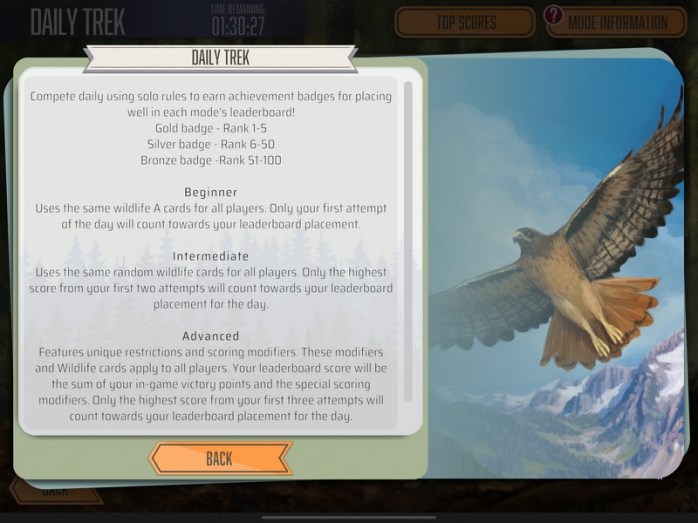
The daily treks, while I don’t really use them myself, are wonderful ways to keep players engaged and firing up the app each day.
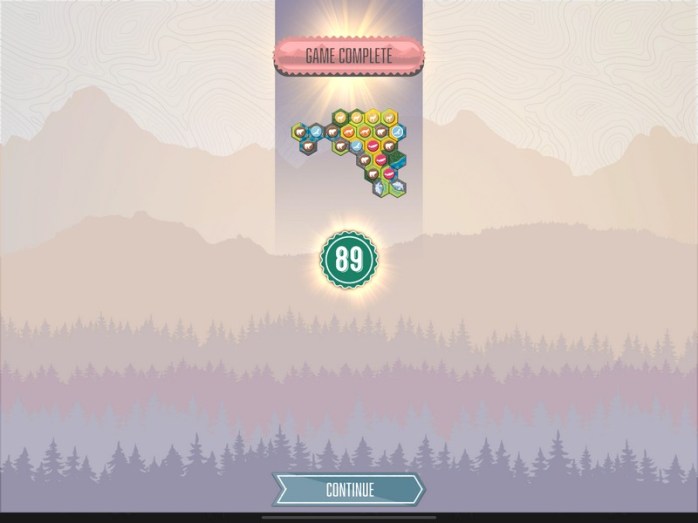
The AI for the bots if you’re playing regular Cascadia solo isn’t too bad. If you’re a serious Cascadia player, they probably won’t give you a huge challenge, but I found them challenging.
Have I mentioned that I suck at tile-laying games?
The user interface is also very good.
You drag a tile to where you want to put it, and then arrows show up that let you rotate it until it fits just right.
Of course, you can always take it back, the same with animal placement.
Another user interface thing that Dire Wolf implemented is the ability to see how you are doing for connected habitat scoring.
This tells you where you are in relation to everybody else for each terrain type, and it’s amazing.
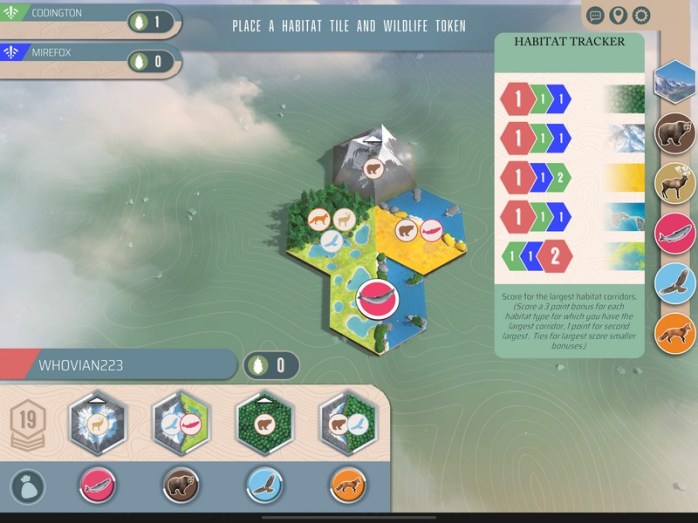
You can also click on an animal and see what the scoring is for that animal in this game (there are five different options for each animal in the base game).
There’s just something peaceful about nature-themed games like this, even moreso in app form.
The artwork is gorgeous (and while in the app it looks just as good, for some reason in these photos it’s a bit washed out, even though these are actual screenshots).
If you’re a Cascadia fan and want the ability to play this online with other players, or even just play solo yourself, then this is a must-buy app.
If you don’t like Cascadia, then obviously the app won’t change your mind, unless the main thing you don’t like about the game is the setup time.
But if you’re not sure, the Cascadia app is a great way to try the game out without having to put down the full cost of the board game.
And who knows?
You might meet some great players from across the ocean!
While the online lobby isn’t packed or anything, there are usually at least a couple of games open for players.
As for the game itself, it’s something I’m always willing to play on the table if I have a good 45-60 minutes.
There’s something to be said for that tactile nature of the tiles, and the beauty that you are forming in front of you.
(The app is available on iOS, Android, and Steam)
 Dude! Take Your Turn!
I sort of like Cascadia but only every once in a while I think (I’ve only played the app). It’s artwork is its best feature in my opinion – the game itself doesn’t grab me especially but it’s a pleasant enough experience. I actually prefer solo play
I hadn’t clocked the illogical things and now I’m sure I won’t be able to ‘unsee’ them lol
LikeLiked by 1 person
I can definitely see the appeal of the solo play.
Pleasant is a good way to put it!
Thanks for stopping by and the comment.
LikeLike