Dude! Take Your Turn!
A Gaming Life
Digital Animals! – Ark Nova App Review
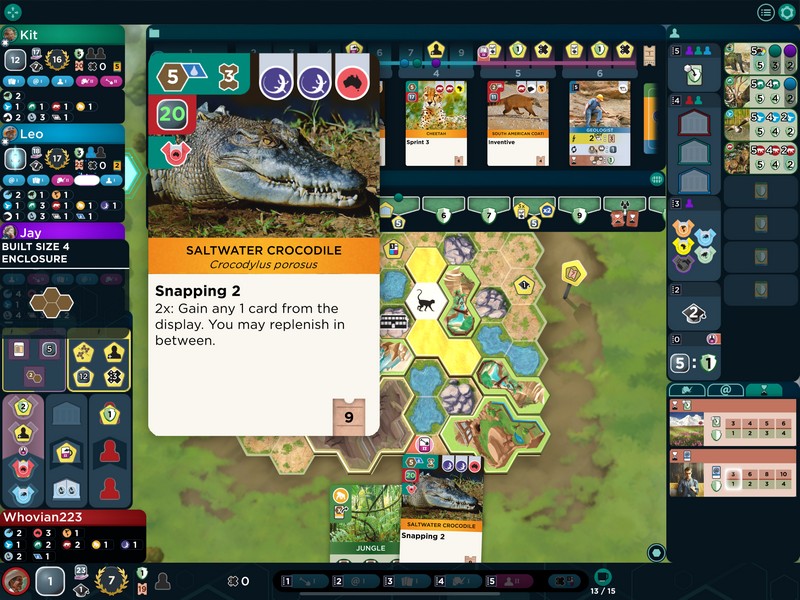
This is kind of a first for Dude Take Your Turn.
Which is weird, because after 8 years, you’d think there wouldn’t be an opportunity for a first!
In this case, I’m doing a review of a boardgame app where I’ve already reviewed the game itself.
Ark Nova is one of my favourite games, currently number 1 on my Top 50 list.
When I reviewed it, there was not a digital app to also take into account.
Now, Dire Wolf Digital has released a digital app version of this great game on Steam, iOS, Android and probably many other electronic devices.

The original game was published by Capstone Games in 2021 and designed by Mathias Wigge.
The Dire Wolf Digital adaptation of it has now come out, so let’s see how it is!
Will it make the boardgame even better, because you can now play it lying in bed while watching David Gray concerts?
(Don’t judge me)
I have to say that the answer to that question is a total “yes.”
(note: this review is based on the iOS version, as that’s what I have)
This won’t be as long as usual because I’m not reviewing the game itself. Check out the game review for that one.
The app appears to be of the typical quality of Dire Wolf Digital apps, where it starts out with some rough edges and then shaves those edges to a fine line after a few patches.
In other words, it’s very good and some of the weird stuff has been updated even before I wrote this review.
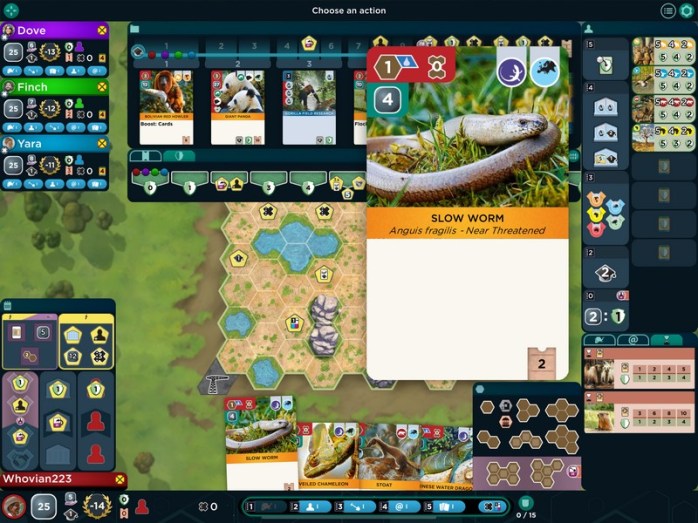
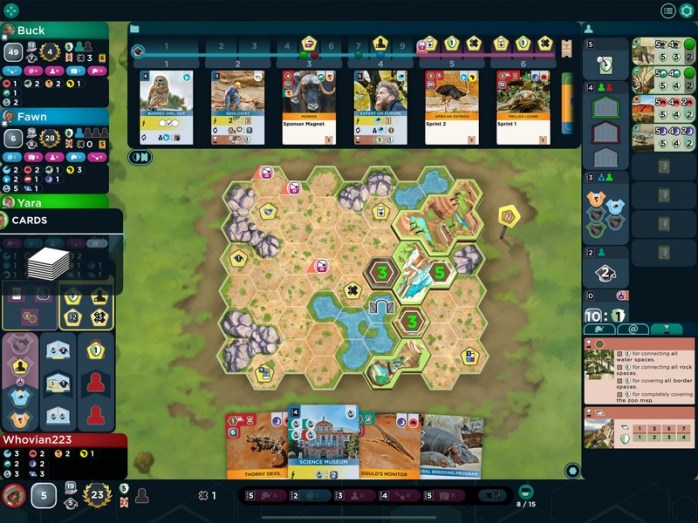
The UI for the app is very good, with a lot of various displays of cards and other things, but all of them dismissible if you don’t want to see them.
While it does look cluttered, each of those displays (the enclosures, the cards you’ve played, the university/partnership/association options, and the card display) can easily be dismissed to open up the entire board for viewing.
Or, if you find yourself wanting to see all of it and you’ve dismissed everything, the icon at the top left will open up all of them when you tap it.
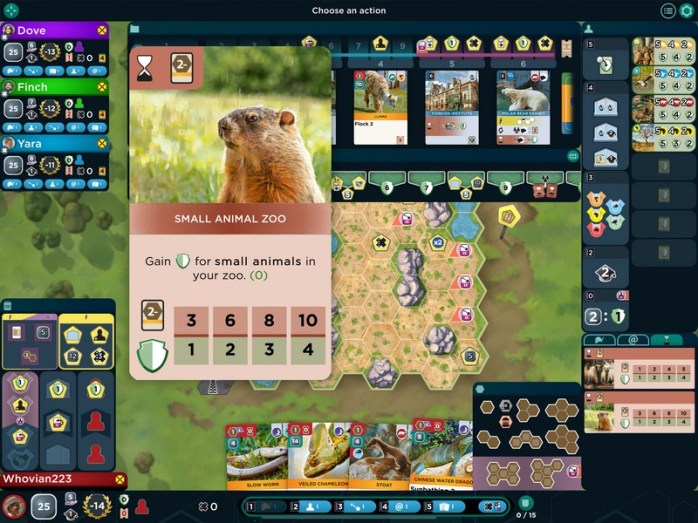
Tapping and holding a card (or even something in the display on the bottom right) will bring it up so you can see the whole thing and what benefits it gives you.
Your action cards are underneath the cards in your hand (which are at the bottom of the screen) and holding one of them will actually bring it up to see what options you have.
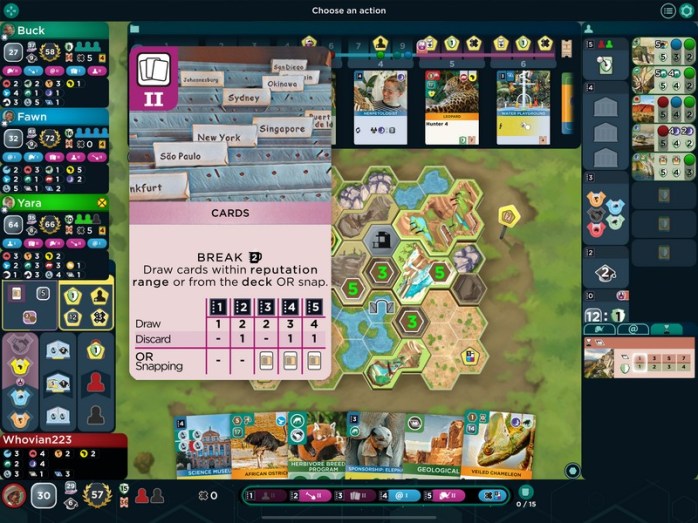
This isn’t quite as important now, but when they implement the Marine Worlds expansion, it will be very important to be able to do this.
I love how everything’s accessible with a tap, or even a hold if you want to see what that specific card does.
Tapping on an action will implement it and the options that you have will be highlighted.
Tap on the Animals card?
The animals in your hand that you can play are highlighted.
Tapping the animal will then put them in an enclosure, unless there is one or more options, in which case it will ask you to choose which enclosure you want to put it in.
Tapping on Sponsors will highlight a Sponsor you can play or, if you want to do the action for money, you can tap the bottom right where it says “Break.”
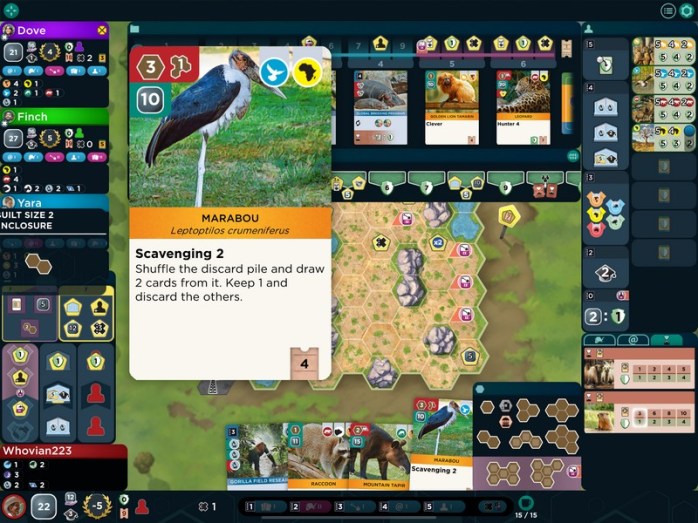
I love how the app will also tell you what you are missing for each animal/sponsor you might want to play, either in your hand or in the card row.
If something is green, then you have it (money, requirement).
If it’s red (like you don’t have the right size empty enclosure), then you don’t have it.
In other words, it’s easy to spot at a glance what cards you can play and what ones you can’t.
There was one UI issue that was really aggravating, though a patch implemented between me buying the app and me writing this review solved that issue.
Placing an enclosure was very difficult because the “tap recognition” (for lack of a better word) was terrible. It kept moving the enclosure when I was trying to confirm it.
That went away with a patch.
There are still a few bugs here and there which I’m sure will be taken care of. Maybe they already have been, because I haven’t had the opportunity to test them.
I wasn’t able to play a Raccoon even though all of the requirements were green. Also, I wasn’t able to pay money for a Sponsor in my hand, even though I had the money and had covered a space that let you do that.
If they’re even still there, I’m sure they’ll be fixed soon.
The graphics for this adaptation are exceptional.
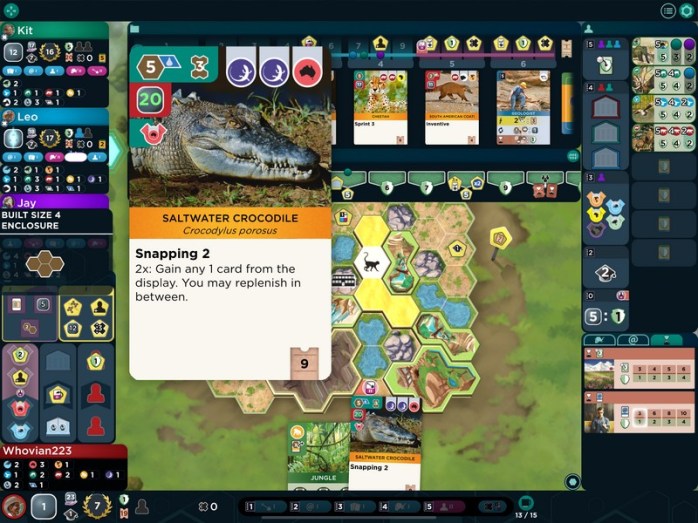
They have captured the card art perfectly, with vivid pictures of the animals or sponsors in question.
The tapping and holding to bring up the card itself really works well and highlights how great the graphics are.
The ability to dismiss or bring up all of the card and other displays is a godsend considering how many there are in this game.
You can even switch between the Conservation Point track and the Appeal Point track at your leisure, depending on what you want to see.
Heck, even your bonus cards (as seen in the above picture) highlight where you are in satisfying the conditions.
For the bottom bonus card, I need to play sponsors. The display clearly shows that I have only satisfied the first condition.
When you play an Association action and want to do a Conservation project, the ones that you can do are highlighted, including the one you have in your hand if you have one.
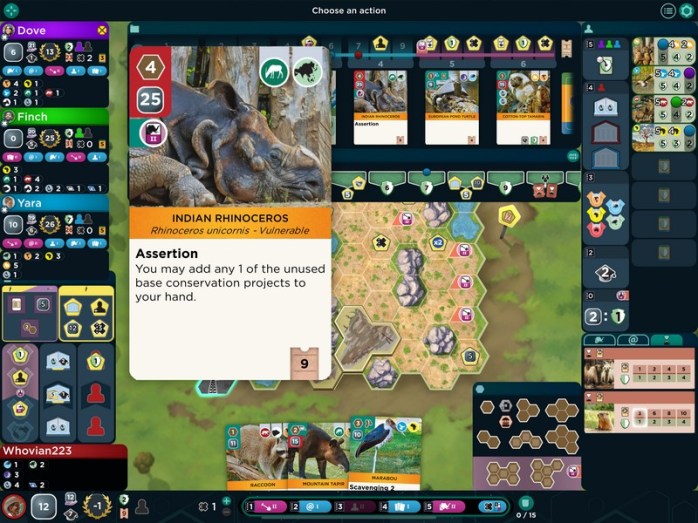
I am just so impressed with this app.
Yes, there are still the occasional bugs that I’m sure will be dealt with.
Dire Wolf has been very diligent about stomping bugs.
Surprisingly, given how great the artwork implementation is within the game, the main screen’s artwork is very pedestrian.
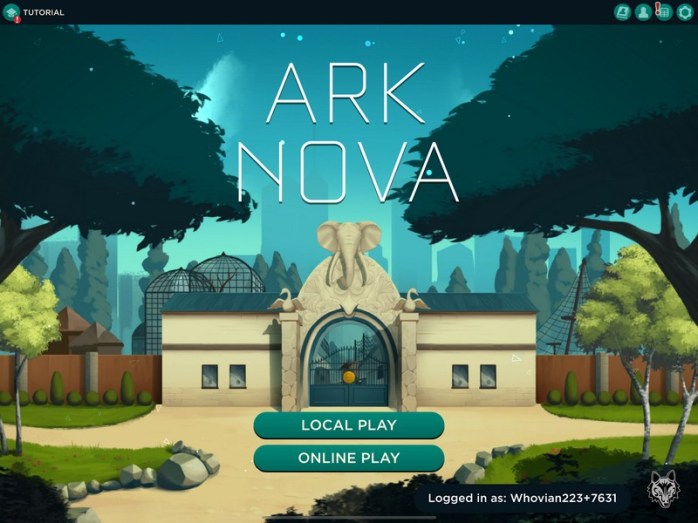
It’s functional, but not as eye-catching as the game artwork itself.
They also take into account the various maps (Dire Wolf has implemented all of the base game maps) and what bonuses they offer.
For the “enclosures next to this icon have a +2 capacity” map, it tells you what the true capacity of the enclosure is (see the below picture), which is great!
In other games (like Dune Imperium and Clank), they have implemented the “skip replay” option.
I don’t know why they don’t just do that at the beginning, but Ark Nova doesn’t have it yet.
As with most other Dire Wolf apps, they offer play against the AI, solo play using the game’s solo play option, and online multiplayer (both synchronous and asynchronous). As with all of those, it’s fairly flawless, though we still have trouble starting games with online friends.
We just use the “password” option for asynchronous games and then tell our friends what the password is.
Another minor fault for all of the Dire Wolf games, and I don’t know why they don’t implement it for asynchronous games, is the “next game” function when you have multiple games where you have a turn ready.
Right now, you have to tap the gear icon at the top right, go back to your games, and see if you have a turn ready in another game.
Not a big deal if you’re only playing one game at a time, but if you’re in 2-3 or more, it’s really annoying.
Given those caveats (and those are universal to Dire Wolf, not unique to Ark Nova), this implementation is so good.
I love all the tooltips, the ability to dismiss or bring up card displays (and there are a lot of them!), the indications of what you can and can’t do, this implementation is almost as good as Clank.
The ability to dismiss displays is probably the best way to digitize a game that has a lot of card displays.
This is probably my second favourite Dire Wolf adaptation after the Clank one.
If you are a fan of Ark Nova and want to play it on your tablet, phone or computer (though I don’t know how good it would be on the phone, given the size), this app is a must-buy.
It’s also a great way to learn whether the game is to your taste or not, as the tutorial is excellent.
Let’s hope it implements the Marine Worlds expansion at some point (which it probably will, as Dire Wolf has been very good about that sort of thing).
This app is a keeper.
This app is available on Steam, iOS, and Android
 Dude! Take Your Turn!